Your AI works with your team.
As you.
Zeze is work chat for teams spread across time zones. Connect the AI you already use to your own account. It reads, drafts and follows up in your name — and our server, not the AI, decides which messages need your OK first.
Free for up to 20 people · Full message history · No card required
AI as a member of the team — not a bot in the corner
Most work chat adds an assistant that speaks as itself. In Zeze, your AI acts under your name, inside rules you set, with every action recorded.
Your AI drafts. You approve.
When your AI wants to message an important contact, a large group or someone outside the company, the server holds it as a draft. You see who it’s for, why it needs you, and the AI’s reasoning — then approve, edit or decline with one click.
- Approve with ⌘↵, or edit the text inline before it goes
- Recipients see “via Claude · confirmed by you”, so they know you read it
- Declining sends your one-line reason back to the AI
- Approve or discard right from a phone notificationComing soon
Wake up to unread, already sorted.
Back from a flight with 600 unread messages? Ask your AI for an overview and it sorts them into three piles: needs you, worth knowing, safe to skip — each item linked back to the original message.
- Works today through your connected AI (unread_overview)
- Sorted across every conversation, not one channel at a time
- A built-in triage view as the app’s first screenComing soon
Hand-offs that keep moving while you sleep.
Ask a colleague in another time zone, and let your AI wait for the answer. When they reply, it picks the task back up and has the result ready by your morning.
- Your AI waits for replies and resumes the task (wait_for_reply, watch)
- Every message it sends is labeled and auditable
- Schedule for the recipient’s morning; their AI answers what it can firstComing soon
Work with partners. Show only who you choose.
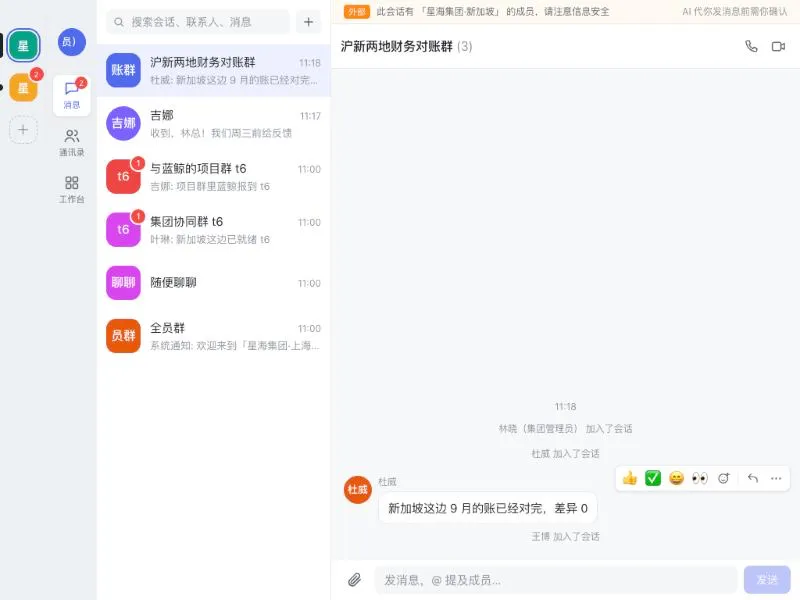
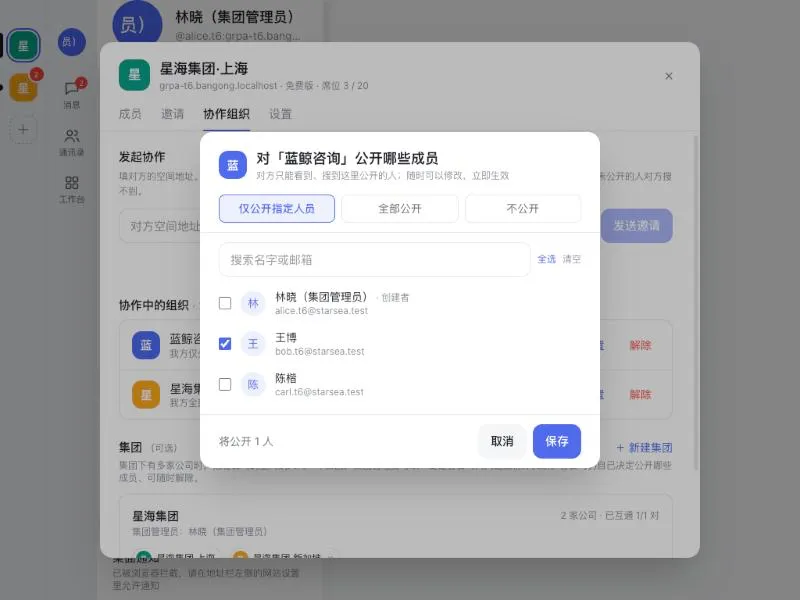
Connect with another company’s workspace after both admins agree. Each side decides which of its people the other can see — 10 out of 100, or everyone. Shared groups and direct messages work across both, with external members clearly marked.
- Per-partner visibility lists that take effect immediately
- People you didn’t share can’t be found or messaged
- AI messages to another company always wait for your approval
- Group admins can connect sister companies in one step
Any AI can connect. The server stays in charge.
Paste one address into Claude, ChatGPT, DeepSeek, Grok, Kimi, GLM, Qwen or any MCP client, sign in, and choose what it may do. Every action passes the same server-side rules, whichever AI sent it.
- Remote MCP with OAuth 2.1, plus an OpenAPI version for platforms without MCP
- One AI = one device you can pause or revoke instantly
- Other people’s messages are passed to the AI as untrusted data
A complete work chat, even before you add AI
Chat-list layout like the messaging apps your team already uses, with the depth of a work tool.
Messaging
Direct and group chats, replies, reactions, edit and recall, @mentions, drafts, read receipts, Markdown and code blocks, pinned and muted chats, ⌘K to jump anywhere. Dark mode included.
Voice & video meetings
One-to-one calls that upgrade to a meeting without dropping, screen sharing, raise hand, in-meeting chat, host controls, shareable links with knock-to-join, and graceful degradation on weak networks.
Search that understands Chinese
Full-text search across every conversation you can see, in Chinese, English or both. Results respect membership — you never see messages from rooms you’re not in.
Workplace: approvals & reviews
Approval flows that your AI can file and chase for you, and quarterly reviews you co-write with your AI — each person edits only their own section, leads see the whole picture.
Not a concept. It runs today.
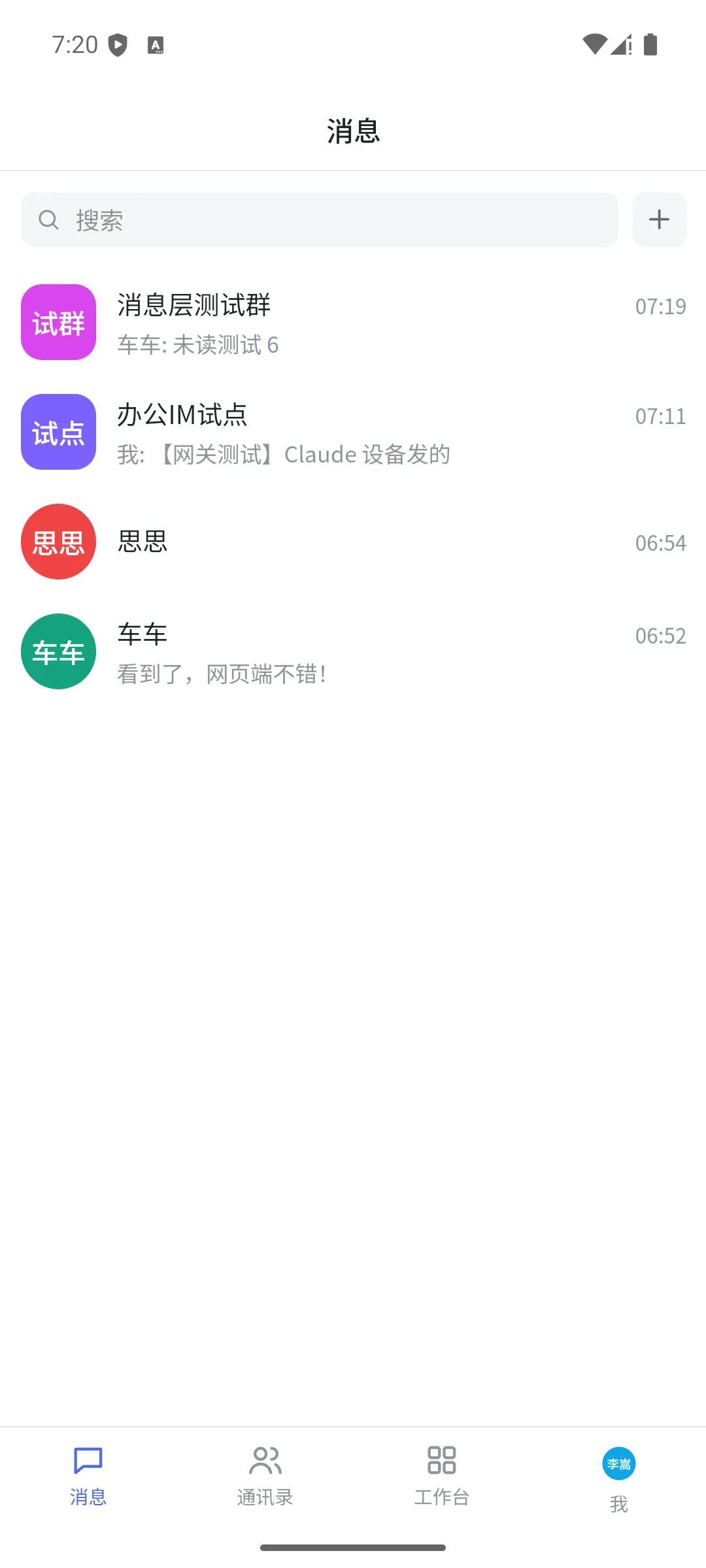
Screenshots from the current build (Chinese interface). Names are test accounts.
Your workspace runs on its own server
Every organization gets its own isolated messaging server, search index and AI audit log — not a row in a shared database.
Isolated instance
Separate server, database, media store and search index per organization. A token from one workspace is useless in another.
Self-host if you need to
Run the whole stack in your own cloud or data center with the private deployment package. Bring your own AI models.
Data residency
Managed workspaces run in Singapore by default. EU, US, Japan and other regions are available on Business and above as they open.
AI permissions & audit
Auto / Ask me / Never for every AI action, admin-enforced minimums, instant pause and revoke, and a complete log of what each AI read and sent.
On every screen your team uses
Desktop, mobile and browser — one account, every workspace you belong to.
Set up your workspace in about a minute
Free for up to 20 people with full history. Invite your team, then connect your AI.